Settle
Take Zelle, Venmo and Cash App at checkout, with the order number as the memo - and let the payment notice mark the order paid.
For WooCommerce shops whose customers would rather pay by app.
Settle never takes money and never signs in to a bank or an app. Check each app's terms for taking business payments (Venmo, for example, has business profiles for selling).
Inside Settle
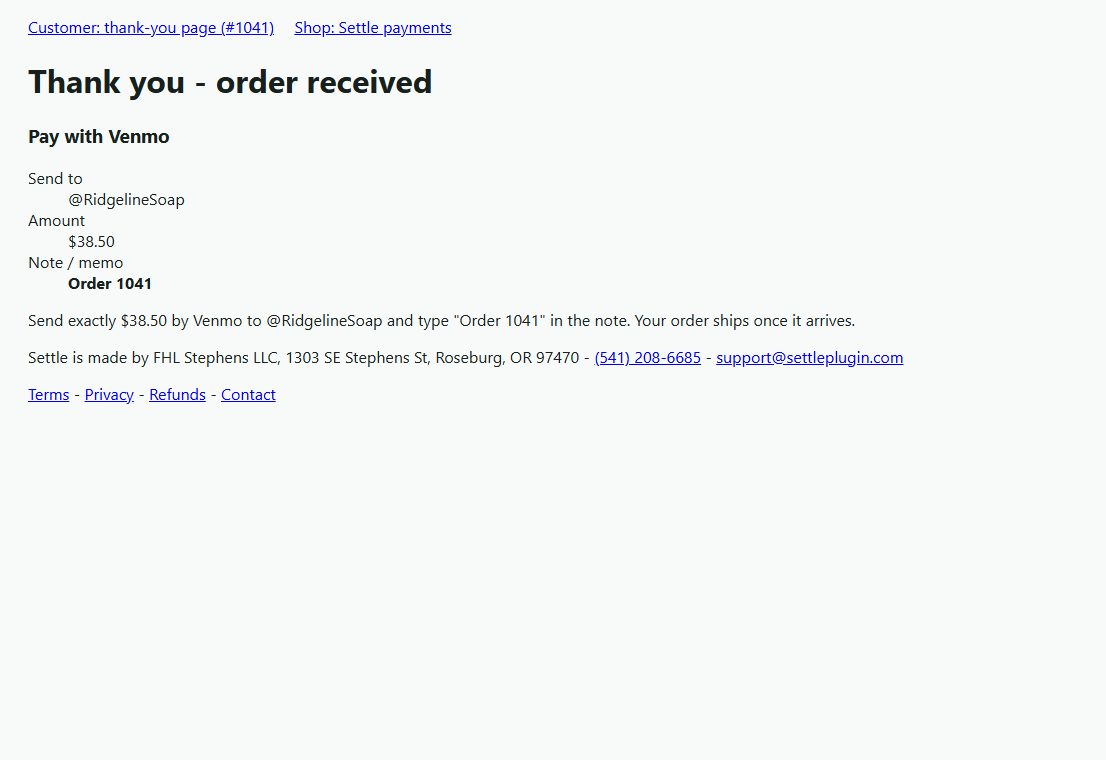
At checkout the customer picks Zelle, Venmo or Cash App. The order goes on hold and the thank-you page and the order email show your handle, your QR code, the exact amount and the memo to type: "Order 1043".
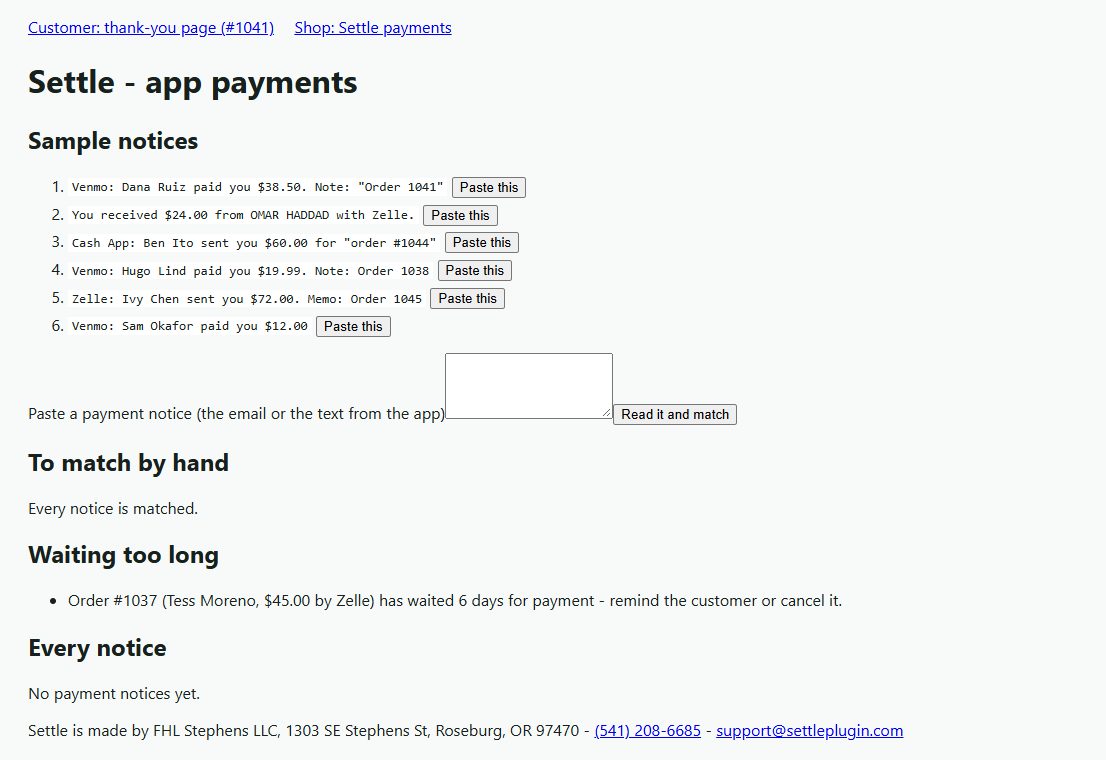
When the money arrives , paste the app's notice into WooCommerce > Settle payments - or have your mail host forward each notice to Settle's own address with your secret. Settle reads the app, the amount, the sender and the memo.
The order number in the memo finds the order. Paid in full: the order is marked paid with a note saying how Settle knew. Short-paid, paid by the wrong app, a second payment for an order already paid, or a memo naming no order: it waits on the review list with the reason.
No order number in the memo?
If exactly one order is waiting for that exact amount on that app in the last week, Settle tells you - and, if you turn it on, marks it paid.
The same notice twice (forwarded and pasted) is read once.
Orders waiting more than 3 days are listed so you can remind the customer or cancel.
Before you start
More for money & tax
Cartage
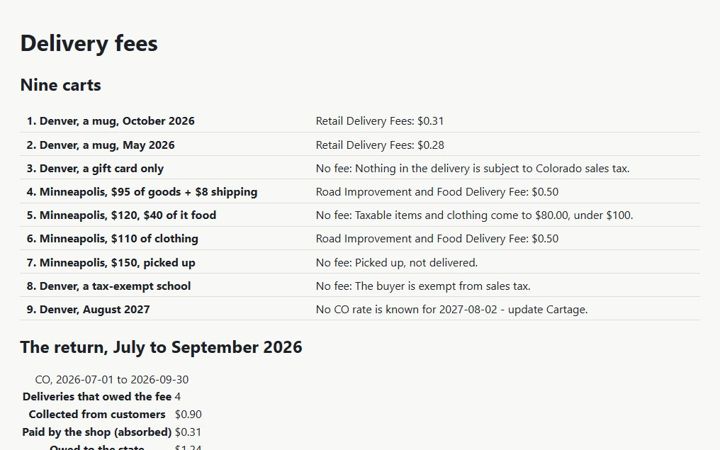
The Colorado and Minnesota retail delivery fees on WooCommerce orders - the right amount, the right name, the right orders - and the totals for the return.
Collector
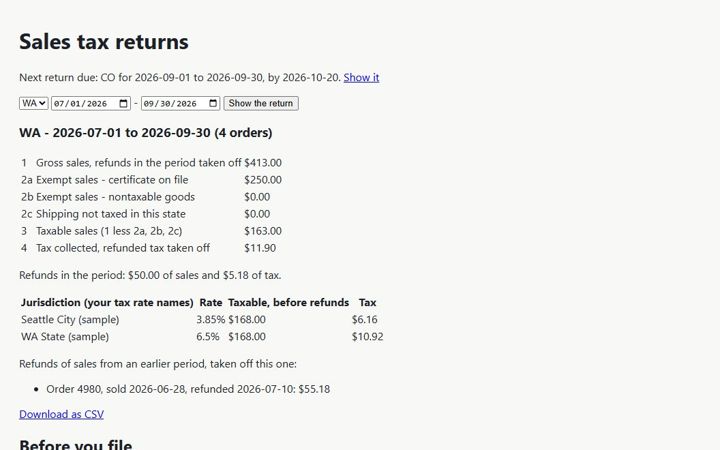
The lines your state sales-tax return asks for, from your WooCommerce orders - for every state you file in.
Countersign
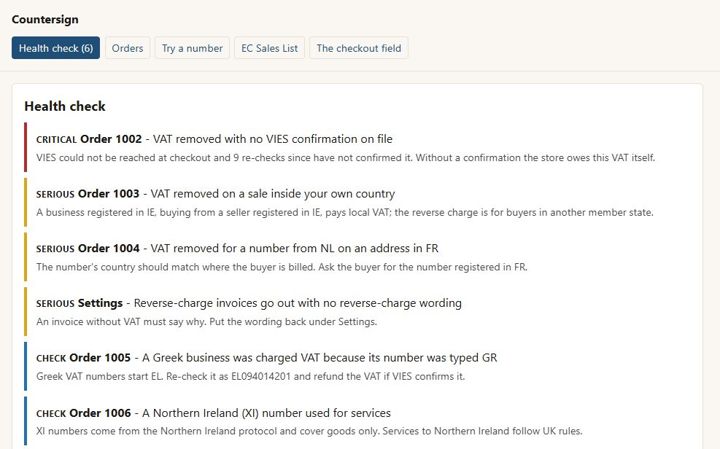
EU VAT numbers checked with VIES, the reverse charge applied only when it should be, the proof kept on the order - and no order ever waits on VIES.