Harbinger
Take pre-orders paid in full, on release, by deposit, or the customer's choice - in the same cart as in-stock items - and release them by themselves.
Harbinger turns any product, or any single variation, into a pre-order.
Inside Harbinger
Four ways to pay
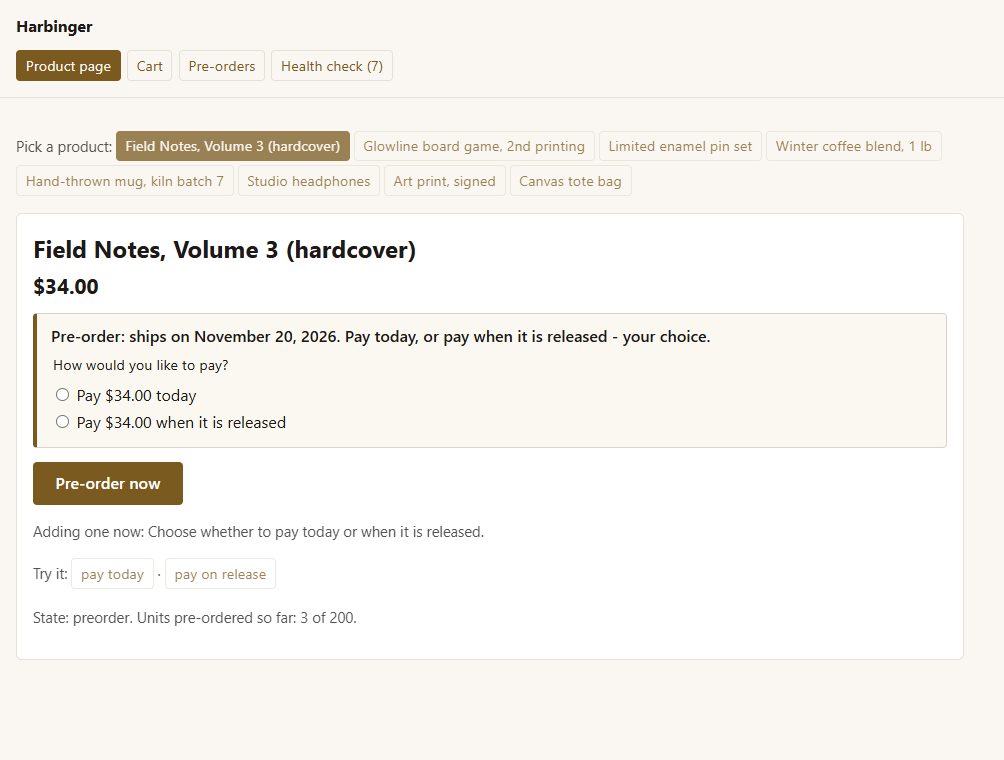
in full today; nothing today and a payment link on release; a deposit today and the rest on release; or let the customer choose.
One cart
pre-orders and in-stock items check out together. Ship what is in stock now and each pre-order on its date, or everything together when the last arrives - or keep pre-orders on their own if you prefer.
A limit per product
"Only 3 pre-orders left", then "Pre-orders for this are full".
The date on the product page
"Pre-order: ships on November 20, 2026", or "release date to be announced".
Releases by itself
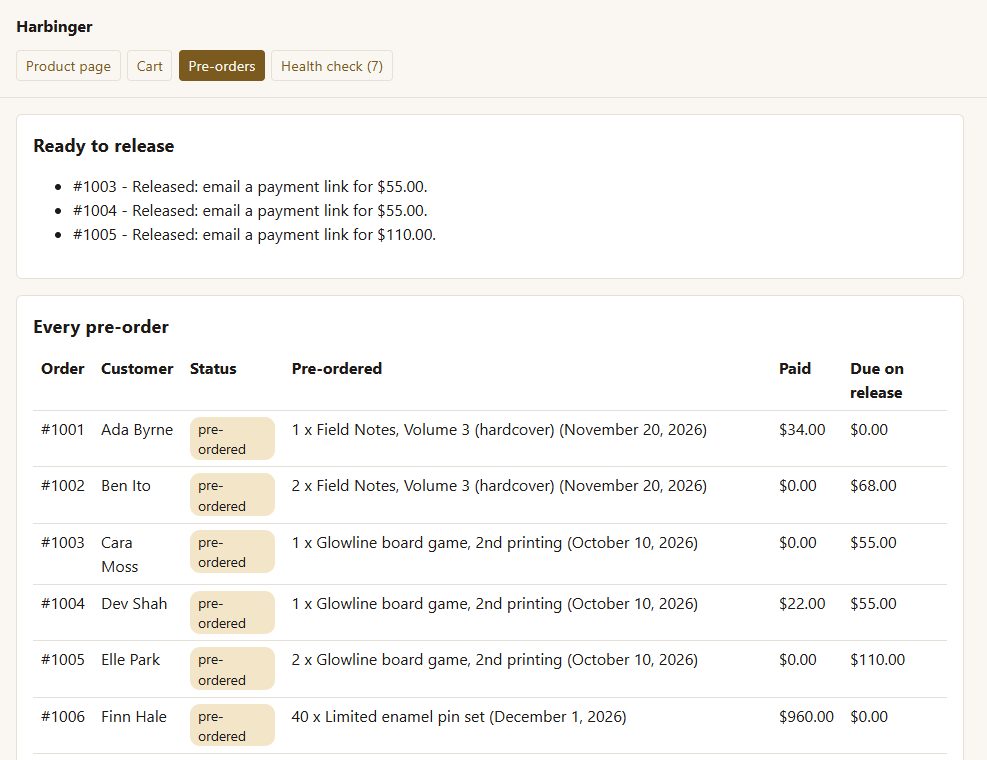
every hour it moves paid pre-orders on to Processing and emails a payment link for anything still due.
Date changes
move a release date and one button emails every customer who was told the old one.
Cancelling
let customers cancel from their account, or turn it off per product.
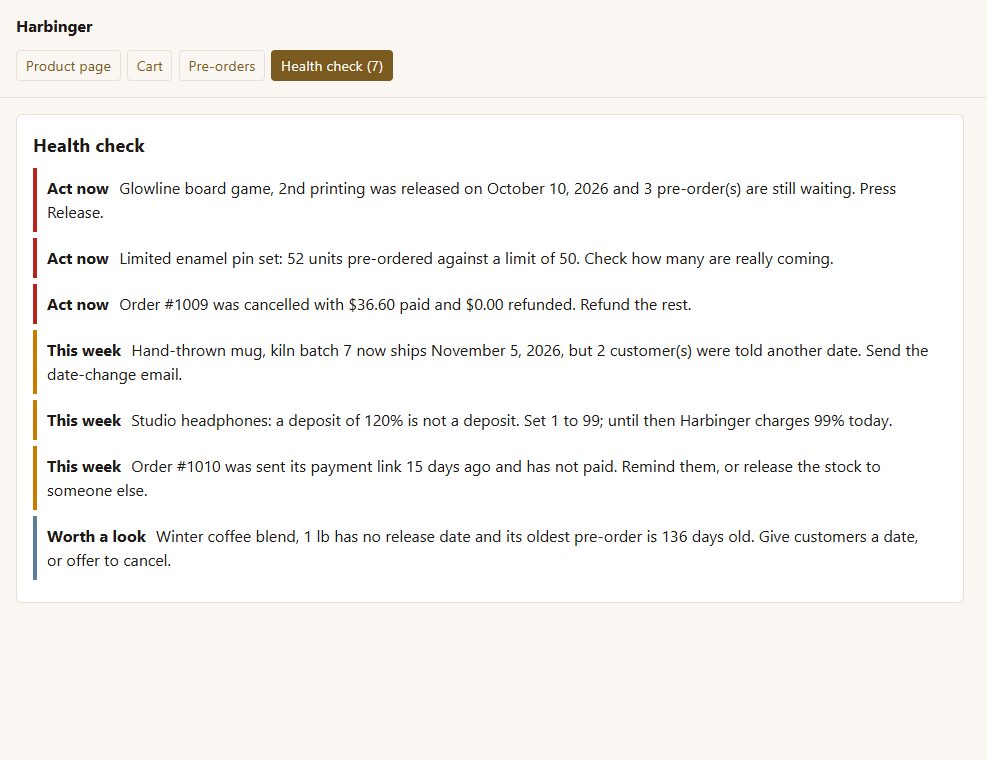
A health check of every pre-order: released but still waiting, over the limit, a date moved without telling customers, a cancelled pre-order not refunded, a payment link left unpaid, a deposit that is not a deposit, a date that never came.
Before you start
Asked first
Does it charge the card automatically on release?
No. It emails a payment link for what is due, which works with every payment method. Charging a saved card automatically needs a payment method that stores cards for later; that is planned, not in 1.0.
Can one variation be a pre-order and the others not?
Yes. Each variation has its own Pre-order switch; leave it off to follow the product.
What happens to the stock count?
Nothing. Harbinger does not change WooCommerce stock; set the limit on the Pre-order tab.
More for the storefront
Addendum
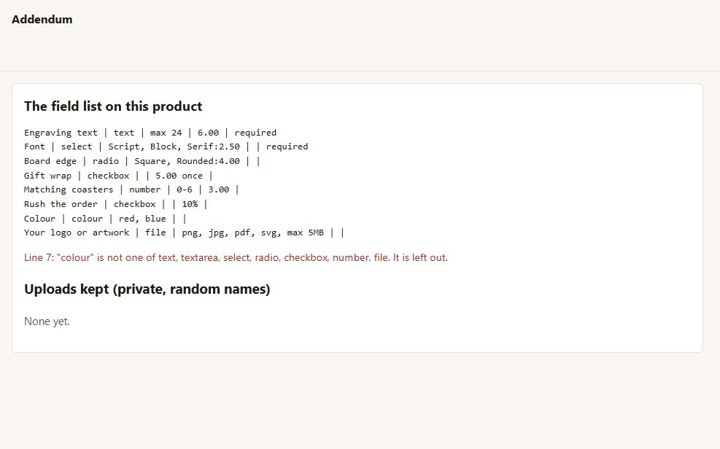
Extra product fields with prices, and a customer artwork upload - checked by what the file really is, kept private.
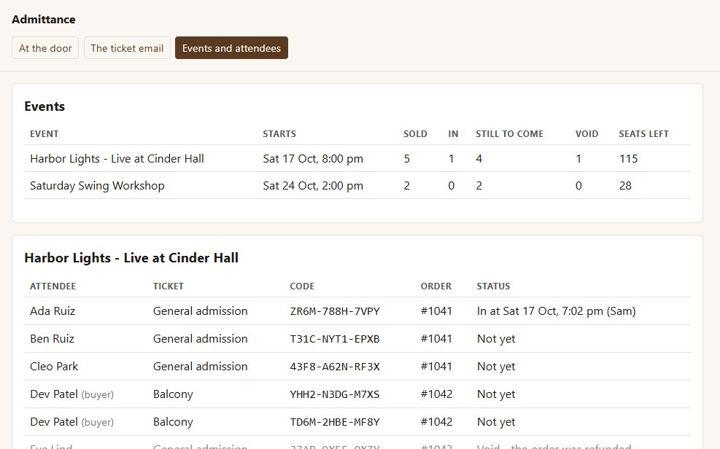
Admittance
Sell event tickets as WooCommerce products, email a named ticket with a QR code per seat, and check people in at the door from a phone.
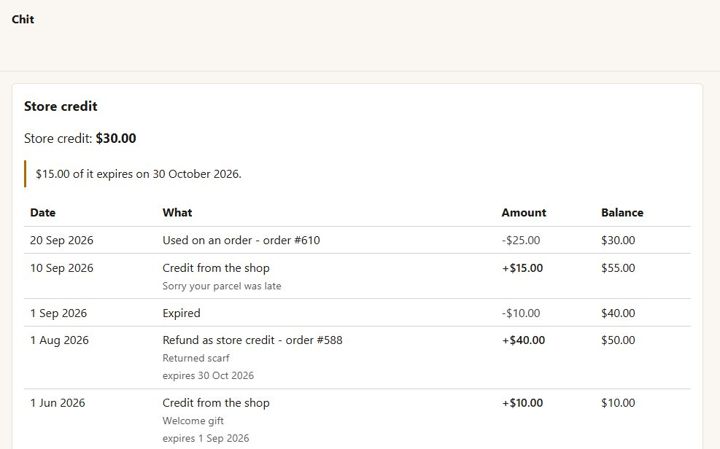
Chit
One store-credit balance per customer - no codes. Refund as credit, give credit with a reason, spend it at checkout.